Best Settings for Knife VS Gun DUELS
Tune sensitivity, camera, graphics, and mobile controls so knife throws and gun peeks feel consistent.
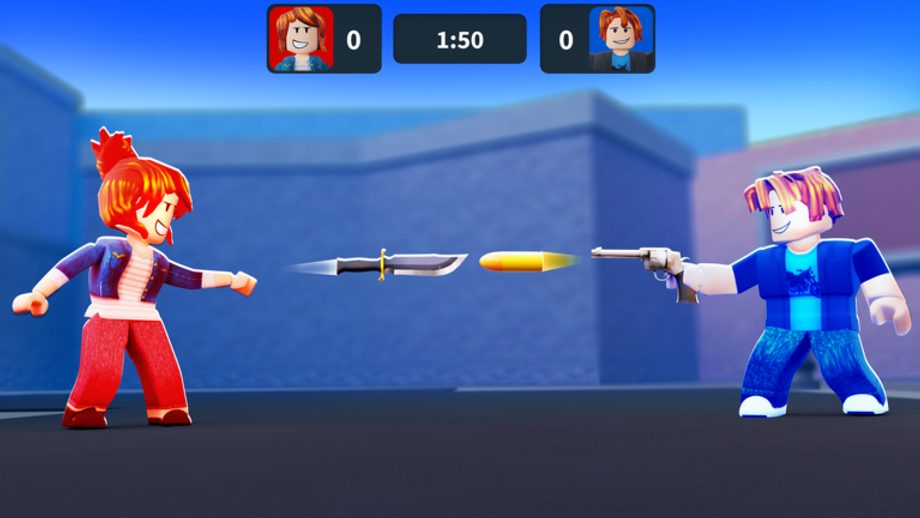
Winning pads in Knife VS Gun DUELS starts before you step on a duel pad. Creator Knife Gun Duels (Place 120700541929930, launched 2025-01-19) builds on standard Roblox movement and camera, then layers knife throws, gun fire, Inventory menus, and streak pressure on top. This guide explains practical settings that community duelists use to keep aim stable, reduce input lag, and avoid menu mistakes mid-streak — without inventing experience-specific FOV numbers the game does not publish.
Pair this page with Controls for the raw key map and How to Win Duels for combat habits. Settings alone never replace throw timing or crosshair height.
Core principle: two comfort profiles
Knife rounds reward quick flicks and jump-throws. Gun rounds reward smooth tracking and peeks. Many players keep one Roblox camera sensitivity but mentally switch playstyle, while others slightly lower sensitivity when they queue gun-only pads. There is no single magic number — the right setting is the one where a full turn lands on head height without overshooting after three warm-up pads.
Change sensitivity in small steps. Play at least five public pads before deciding a new value is better. Instant judgment after one loss usually leads to worse aim the next day.
Roblox client settings that matter
Camera sensitivity — Open Roblox Settings → Controls (or the in-experience gear if present) and tune camera speed until a 180-degree turn feels controllable. Too high and knife throws sail past heads; too low and gun tracking cannot follow strafe.
Shift Lock — Some duelists enable Shift Lock for consistent knife camera; others leave freelook for gun flicks. Test both for one session each using Controls notes.
Graphics quality — Lowering quality can reduce hitching on weak PCs and phones. Gun rounds punish micro-stutters more than knife rounds. Prefer stable frames over max shadows when streaking.
Volume and visual cues — Keep enough audio to hear lobby prompts and match starts. On mobile, raise UI button opacity so Inventory taps do not mis-hit ENTER CODE while redeeming Codes.
In-game habits that act like settings
Knife VS Gun DUELS does not publish a public patch-notes Trello for every toggle. Treat these lobby habits as part of your settings checklist:
- Open Inventory once after login — Confirm equipped knife and gun before the first pad. Wrong loadout is a settings failure in practice.
- Redeem codes before streak pushes — Use Inventory → ENTER CODE with strings from the Codes hub, including
LIKETHEGAMEfor the Overseer Crossbow. - Walk the Code Board near leaderboards — Catch newly posted promos that Discord may have announced hours earlier.
- Close Roblox overlay menus before countdown — Esc overlays block clicks and throw timing.
- Warm up on low-stakes pads after any client or experience update — Seasonal banners such as Halloween sometimes change pad feel.
Mobile-specific recommendations
Read the full Mobile Guide for touch layout. Settings priorities on phone:
- Keep the virtual stick and camera drag zones from overlapping your throw or shoot button.
- Prefer slightly lower camera speed than PC if your thumbs overshoot.
- Use paste for codes — fat-finger typos burn free coins.
- Consider gun-focused pads when knife flicks feel inconsistent on small screens.
- Disable aggressive auto-rotate conflicts that fight camera drag.
PC-specific recommendations
- Separate mouse DPI comfort from Roblox slider: change one variable at a time.
- Disable heavy background apps that spike ping — Rolimon’s snapshots for this place often show ping spikes above 100 ms that widen gun fights.
- Keep browser or Discord overlays from covering the Inventory button.
- If you use a controller, verify trigger fire or throw in Roblox Settings before a private server practice set.
Graphics versus clarity for gun rounds
Gun peeks need a clean silhouette on the opposite pad. Extremely low graphics can wash out contrast; extremely high graphics can hitch. Aim for the highest stable frame rate that still lets you see player outlines clearly. Custom Crosshair from the Game Pass Tier List helps more than max shadows if your budget is limited — see also the Robux Guide.
Settings checklist before a streak night
| Check | Why it matters |
|---|---|
| Sensitivity unchanged mid-session | Mid-session slider spam ruins muscle memory |
| Correct knife and gun equipped | Loadout mistakes end streaks instantly |
| Codes redeemed | Free coins and Overseer Crossbow ready |
| Stable FPS / closed overlays | Input lag and blocked clicks |
| Warm-up pads completed | First duel should not be your calibration |
| Jet Pack tested offline if owned | Mobility gear changes camera feel — Jet Pack Guide |
What not to copy blindly
Do not paste sensitivity numbers from unrelated Roblox duel titles such as knife-only FPS games with different place IDs. Knife VS Gun DUELS is Place 120700541929930. Mechanics, throw timing, and camera defaults differ. Use community footage like the gameplay embed on this page as a visual baseline for pace, then calibrate your own hands.
Also ignore “best settings” posts that ask for passwords or Robux to unlock a config file. Real settings live in Roblox menus and your own practice.
Practice loop after changing settings
- Change one setting only.
- Play three knife pads and three gun pads.
- Note overshoot, undershoot, or hitching.
- Adjust once more or revert.
- Only then start a serious streak with Win Streaks banking rules.
Related pages
- Controls — PC, mobile, and lobby inputs
- Mobile Guide — touch duel layout
- How to Win Duels — apply stable settings to pad fights
- How to Play — first-session flow
- Best Loadouts — equip after settings feel right
- Guides Hub — full tutorial index
- Codes — redeem before calibration sessions
Frequently Asked Questions
Quick answers about duels, codes, streaks, and wiki pages.
What is the best sensitivity for Knife VS Gun DUELS?
There is no universal number. Choose a Roblox camera speed where a full turn lands near head height without overshooting, then keep it stable for at least five warm-up pads before changing again.
Should I use different settings for knife and gun rounds?
Many players keep one sensitivity and change movement habits instead. If you mainly play gun-only pads, a slightly lower camera speed often helps tracking.
Do graphics settings affect duel outcomes?
Indirectly. Stable frames reduce hitching on gun peeks. Prefer consistent FPS over maximum shadows when you are protecting a win streak.
Where do I change controls in Knife VS Gun DUELS?
Use Roblox Settings for camera and device controls, and the in-game Inventory UI for loadouts and ENTER CODE. See the Controls guide for action mapping.
Can I copy settings from other Roblox duel games?
Avoid blind copies. Different place IDs use different throw timing and camera defaults. Calibrate on Place 120700541929930 only.
What should I do before a streak session?
Confirm loadouts, redeem active codes, close overlays, warm up on low-stakes pads, and avoid changing sensitivity mid-session.